Constructora Admin is the web console for construction operations (estimating, projects, accounting, HR, field data, and admin maintainers). This Help Center documents the screens shipping in the migration.
Admin Home layout
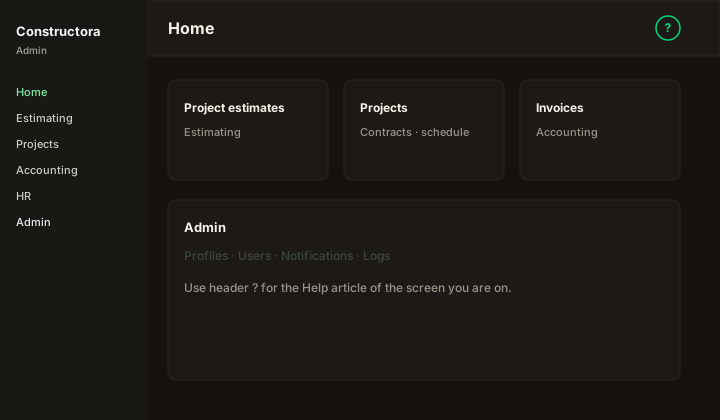
Figure: Home — left sidebar (Estimating, Projects, Accounting, HR, Admin), header tools, and module shortcuts; ? opens contextual help.
| Region | What you see |
|---|---|
| Sidebar | Module groups filtered by your FunctionId View permissions — only leaves you may open appear. |
| Header | Search, notifications bell, logs shortcut, + Add Reminder, ? Help, appearance, language, user menu (profile, widgets, sign out). |
| Home body | Widget cards when assigned — visibility from My Widgets + admin assignment. |
Open help from Admin
| Method | Result |
|---|---|
| Header ? | Opens the Help article mapped to the current path (SCREEN_HELP_MAP), e.g. /admin/users → Manage users. |
| Footer / menu Help Center | Opens this site home (NEXT_PUBLIC_HELP_BASE_URL, local default http://localhost:3002). |
| Direct URL | /en/docs/... or /es/docs/... per article slug. |
Steps: sign in at /admin → navigate to a screen → click ? for that screen’s article.
Search in Help Center
| Action | Behavior |
|---|---|
| ⌘K / Ctrl+K or header search | Finds articles by title and body (Pagefind after production next build). |
next dev | Search may fall back to the catalog until a build indexes Pagefind. |