My Widgets (/admin/widgets) is behind Widgets in the avatar menu. It is not the Widgets step of Users or Roles. Here you only choose what appears on Home; an administrator must assign widgets first.
Permissions: FunctionId HOME (1). View opens the page; Edit enables the visibility switches (immediate save). Without Edit, cards are read-only.
Screen layout
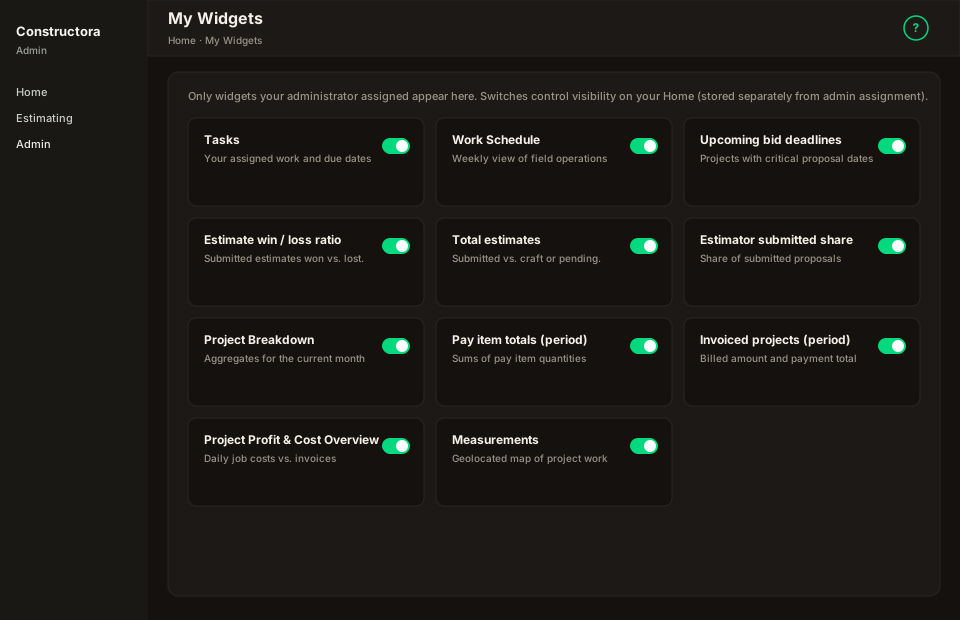
Figure: Breadcrumb Home → My Widgets; hint about admin assignment vs Home preference; three-column card grid (responsive).
| Region | What you see |
|---|---|
| Page header | Title My Widgets, explanatory hint (admin assignment vs Home visibility). |
| Card grid | Widget title, short description, switch on the right — toggles user_preference_widget immediately (no Save button). |
Hint copy: Only widgets your administrator assigned appear here. Switches control visibility on your Home (stored separately from admin assignment).
Switch behavior
| Switch | Effect |
|---|---|
| On | Widget may appear on Home (if assigned in user_widget_access). |
| Off | Widget stays assigned but hidden on Home until turned back on. |
Failed API calls revert the switch. Global hidden codes never appear: invoice_profit_share, job_cost_breakdown.
Empty state
You have no widgets available. Contact your administrator to request access. — no rows in admin assignment; ask an admin on Users → Widgets or the role defaults.
Not Users / Roles → Widgets
| Screen | Storage |
|---|---|
| Users or Roles wizard → Widgets | user_widget_access / rol_widget_access — which widgets you may use |
| Avatar → My Widgets | user_preference_widget — which assigned widgets you show on Home |
Sidebar menu leaves use FunctionId View permissions, not widget switches.