Logs (/admin/logs) is the application audit trail (legacy log table). Use it to answer who changed a user or role, when, and from which IP.
Permissions: FunctionId LOG (4). View opens the page and header logs shortcut; Delete controls row and bulk delete (hard-delete audit rows — same as legacy).
Screen layout
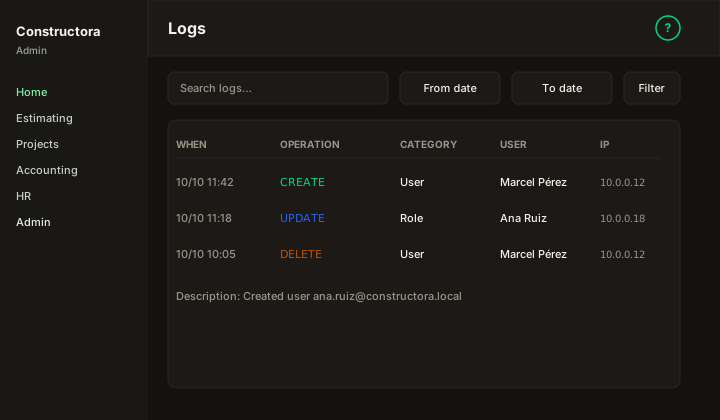
Figure: Logs — Search logs…, From / To dates, Filter, Export, columns When, Operation, Category, User, IP.
| Region | What you see |
|---|---|
| Page toolbar | Title Logs, subtitle, ? help. Header shortcut opens this list when you have View. |
| Data card | Search, date range, extra filters, Export, sortable columns, checkboxes, bulk Delete, pagination. |
List columns
| Column | Meaning |
|---|---|
| When | Event timestamp. |
| Operation | e.g. CREATE, UPDATE, DELETE, LOGIN. |
| Category | Domain area (User, Role, Company, …). |
| User | Operator who performed the action. |
| IP | Client IP recorded with the event. |
| Description | Optional detail when present in the payload. |
Delete (row ⋮ or bulk) — confirmation dialog, then hard-delete (eliminar / eliminarLogs).
How to investigate
- Narrow with From / To and search text.
- Correlate Category + Operation with Users/Roles changes.
- Export the current page for offline review when needed.