Districts (/admin/districts) groups counties (locations) and can be assigned on project estimates. Each row is a district Name and Status.
Permissions: FunctionId DISTRICT (28), menu Estimating → Libraries → Districts (function.url = district). View opens the page; Add controls New; Edit and Delete control row actions and bulk delete.
Screen layout
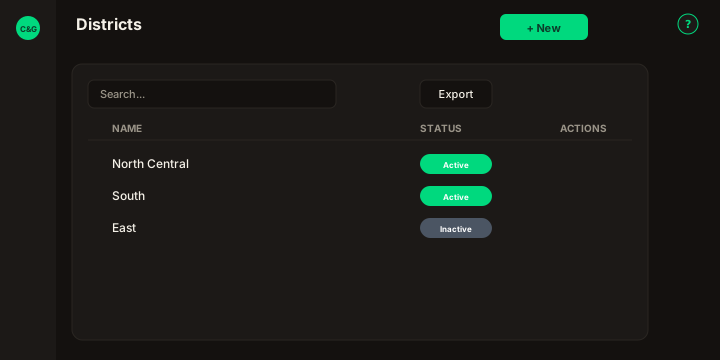
Figure: FoodHub list — New in the page header; data card with Search districts…, Export, sortable Name and Status, row ⋮, checkboxes, and pagination.
| Region | What you see |
|---|---|
| Page toolbar | Title Districts, subtitle, New (Add) on the right, and the ? icon. |
| Data card | Search, Export, sortable columns, row checkboxes (Delete), bulk bar, mobile cards, pagination. |
| Modal | Surface B (?create=1 / ?edit=\{id\}) — Name and Status; Cancel and Save in the header. |
Default sort: Name ascending (description).
List behavior
- Search — matches district Name (debounced).
- Export — Copy, Excel, and CSV for the current page.
- Sort — Name, Status (mobile: Sort by).
- Row ⋮ — Edit · Delete when permitted.
Modal fields
| Field | Rules |
|---|---|
| Name | Required. Must be unique — The district name is in use, please try entering another one. |
| Status | Active / Inactive. |
Success toast: The operation was successful.
Delete
Delete is blocked when a county or estimate still references the district (legacy English messages). Bulk delete may report partial success when some rows remain linked.
Related
- Locations — counties and cities filtered by District.