Subcontractors (/admin/subcontractors) stores field subcontractors with optional color on the list name, Phone, and Address.
Permissions: FunctionId SUBCONTRACTOR (18), menu Accounts Payable → Subcontractors (subcontractor). View opens the page; Add / Edit / Delete control actions.
Screen layout
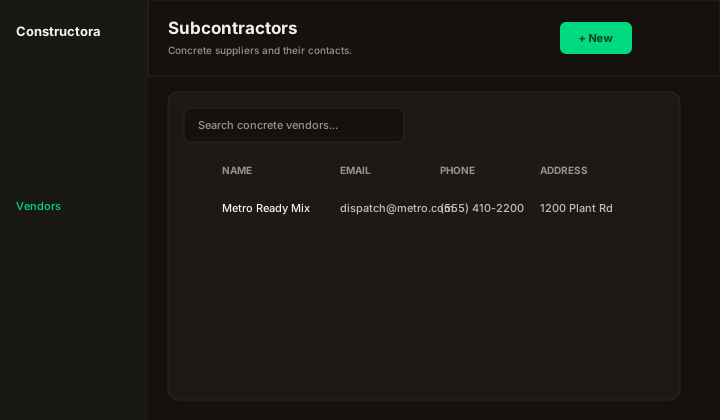
| Region | What you see |
|---|---|
| Toolbar | Title Subcontractors, New, ? help. |
| Table | Search (empty or ≥3 chars), Export, sort, bulk delete, row ⋮. Name may show a color swatch. |
| Wizard | New Subcontractor: — General only until saved. Edit adds Employees, Notes, and Projects (read-only). |
Employees and notes
Employees: Name, Hourly Rate, Position — modal New employee. Notes: date range filter, Filter, table Date / Notes, bulk delete in range.
Delete
Deleting a subcontractor removes employees (and related labor rows), notes, and data-tracking subcontract links before the subcontractor row.