Payment Override (/admin/payment-override) lets you record override paid quantities per pay item for a project as of an Override date. Permissions: FunctionId OVERRIDE_PAYMENT (39). View opens the list and wizard read-only. Add or Edit saves lines and attachments. Delete removes headers (bulk supported) and also deletes attachments on the Attachments step (single file or selected files).
Screen layout
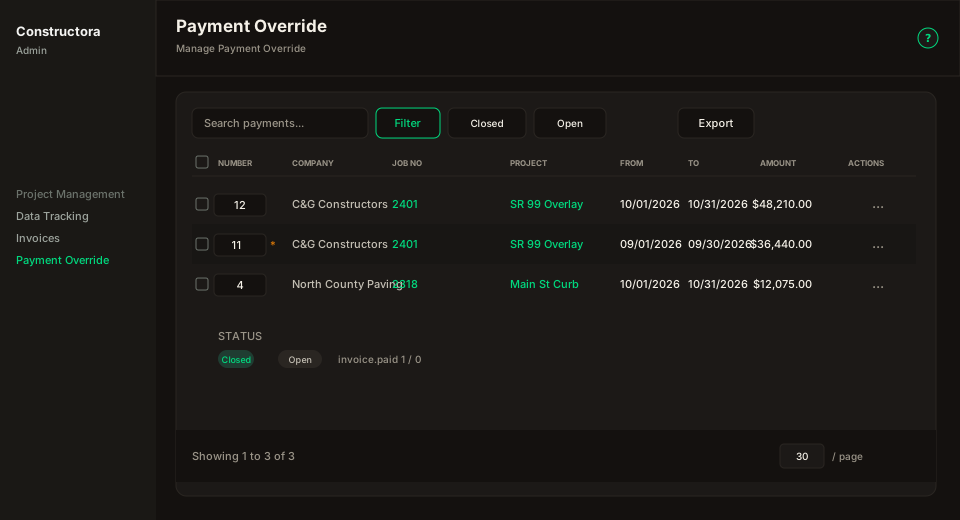
| Region | What you see |
|---|---|
| List | Search, Filter (Company, Project, From/To), Export, New (Add), columns Company, Job No, Project, Date, Paid/Unpaid qty and amounts, Actions. |
| Empty gate | Apply Filter or Search before rows load (same pattern as Payments). |
| Wizard | Surface B on the list URL (?create=1 / ?edit=): General, Items, Attachments, History. |
Wizard steps
- General — Company, Project, Starting Override Date (shared date picker, same as Invoices).
- Items — Grouped pay items (Regular / Change Order / Add-On) through the cutoff: Code, Item (R/B badges + CO history), Unit, Contract QTY, Unit Price, Contract Amount, Invoiced Qty, Invoiced Amount $, Paid Qty, Unpaid Qty, Paid Amount. Search, export, and history icons match Payments. Unpaid Notes open a notes table; unpaid qty overridden by a note stays locked until that note changes it.
- Attachments — Search + New (name, file, note). Files attach to the header on save. View (eye) opens the file. Delete (trash) asks Are you sure you want to delete the attachment? and removes it immediately — even if you have not saved the override yet. With Delete permission you can also select rows and bulk-delete (Are you sure you want to delete the selected attachments?). Without Delete, those CTAs stay hidden.
- History — Paid quantity change log for the project (Item, Previous qty, New qty, User, Date).